

Photo 2026 05 06 15 57 36
Photo 2026 05 06 15 55 50

Secure Access

Access your Fresh Casino account safely with password recovery and two-factor authentication options.

Fresh Casino login for Canadian players

How to Access Your Account

You can reach your Fresh Casino account straight from our main site. The login window is available on the site: enter the email or phone number you used at registration and the password you set earlier. The same credentials are used on desktop and mobile, so you do not need separate logins. Registration may also be available through Google and Telegram in addition to email and phone.

Your session stays active while you move between games, promotions and payments. Exact duration depends partly on your activity and partly on your security choices. There is a “stay logged in” checkbox that keeps authentication tokens on your device for longer access. It is important to use that option only on your personal computer or phone. On a shared device it is safer to log out by hand every single time.

Password Recovery

If the password slips your mind, use the recovery link placed just under the login fields. Enter the email or phone number tied to your account. We then send a one-time code to your inbox or by SMS. The one-time code is valid for a limited time and should be used promptly. After that you create a new password, repeat it once more and the account becomes accessible again.

Codes are short-lived on purpose, this reduces risks. When no email or SMS shows up within roughly five minutes, request a fresh code. There is a cap on how often recovery can be triggered; too many attempts in a row will freeze this option for a while to block automated attacks.

If you lost access to the email you originally used, contact our support team. They will ask for extra details and confirm your identity with alternative checks. Recovery by phone works in a similar way but all codes arrive via SMS instead of email.

Two-Factor Authentication

We provide optional two-factor authentication for players who want extra protection on their logins. Once it is on, you always use your password plus a short code from an authenticator app or from SMS.

To switch it on, open your account as usual, go to the security area in your profile and select the two-factor authentication line. Then choose if you prefer an app or SMS. For apps you simply scan the QR code with your authenticator. For SMS you confirm your phone number first. After that you enter the first verification code and save the backup codes somewhere secure but accessible.

For later logins, after typing the password, we ask for this second code. Codes from an authenticator app or SMS are valid only for a short time span. If your main method becomes unavailable, those backup codes help you get in.

You are free to turn two-factor off from the same menu, but we strongly suggest keeping it active, especially when you store payment details with us or hold larger balances.

Common Login Problems

IssueCauseFix
Wrong passwordTypo or Caps Lock enabledCheck keyboard layout or reset password
Account lockedRepeated failed loginsWait 30 minutes or contact support
Email not foundAccount made with phone onlyTry logging in by phone number
Code rejectedCode expired or time not syncedRequest new code or adjust device time
Page not loadingCorrupted cache or cookiesClear cache or switch to another browser

Browser choice matters. We support current versions of Chrome, Firefox, Safari and Edge. Very old browser builds might fail to process some security scripts correctly. Clearing cookies and cache often resolves strange layout or loading problems.

Using a VPN can sometimes trigger extra checks, especially if the IP location jumps around or shows as restricted. Canadian players may still use VPN tools for privacy, but frequent location changes may lead to additional verification steps. We monitor login patterns to detect unusual activity and in rare cases can add temporary limits until the account owner confirms their identity.
Account Security Features

Fresh Casino is a licensed online casino operating under a Curaçao licence. The platform offers standard email and phone-based password recovery with one-time codes valid for a limited time. Two-factor authentication adds extra protection beyond your regular login credentials.

  • Session management keeps you logged in while switching between games and payments
  • Recovery codes are time-limited to prevent unauthorized access attempts
  • Account verification is required for withdrawals and certain promotions
  • Support team assistance available for lost email access
  • Login works consistently across desktop and mobile devices

Verification for the first deposit and real-money play may require confirming both email and phone number. The casino operates under Curaçao licensing and accepts payment methods such as Visa, MasterCard, Skrill, Piastrix, and cryptocurrencies like Bitcoin, Ethereum, and Litecoin.

Hero hrsq

Security Settings

Once you are signed in, you can review your security tools from the dashboard. There you change passwords, look at active sessions and manage trusted devices.

To update your password, we first ask for the current one. Password rules require a certain level of complexity, but specific criteria should be verified in the official guidelines. It should not use common dictionary words or simple sequences of characters.

The active sessions view shows where your account is currently open and allows monitoring for suspicious activity. You can close a single session remotely if it looks suspicious or if you forgot to log out on another device.

Device authorization lets you mark some phones or computers as trusted. On such approved hardware, certain verification prompts are skipped and you usually just enter the password. This is convenient, but it should be used only on devices you personally control.

Withdrawals and Verification

Identity verification is required before processing most withdrawal requests. This rule applies regardless of how long the account has been active or how much you have deposited. It follows obligations under the Curaçao licence and anti-money-laundering requirements.

For full verification we ask for a government-issued ID, a proof of address not older than three months and confirmation for the payment method you use. In most regular situations review takes from 24 up to 72 hours. If a case is more complex, we may request additional documents.

Unverified accounts are allowed to deposit and play, but withdrawals and some promotions stay blocked. You can usually see your current verification status in the dashboard, with clear marks for pending or rejected documents.

If you try to cash out without being verified, the system redirects you to the document upload section. We then hold those withdrawal requests in pending status until all checks are finished. Once the account is fully verified, the status usually remains valid unless important profile details change.

Mobile Access

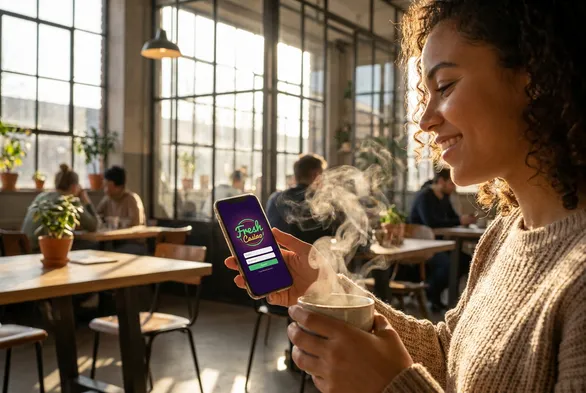
You can open your Fresh Casino profile through a mobile browser, so no download is needed. The mobile version rearranges the layout so the login fields and navigation fit smaller screens while the main functions remain available.

The flow repeats what you see on desktop. Open our site, tap login in the top bar, type your email or phone, enter the password and pass the two-factor step if it is enabled. Sessions stay active between browser tabs and normally survive short internet dropouts.

On some devices, browser-level biometric tools can help. Fingerprint or face recognition may be used for password autofill, which reduces manual typing. It is important to remember that these biometrics are stored on your device only, we do not receive or keep this data on our servers.

Payment Methods

After logging in, you manage deposits and withdrawals in the cashier area. From there you can add, verify or remove payment instruments. We currently support Visa, MasterCard, Skrill, Piastrix and cryptocurrencies like Bitcoin, Ethereum and Litecoin.

To connect a new method, go to the deposit or withdrawal section and select “Add Payment Method”. Then pick the type you want, enter the requested details, pass any short verification step and confirm. For cards we may need a photo showing only the first six and last four digits, with the rest masked. Verification for e-wallets usually involves a small test transaction. Crypto addresses require no separate document, but they must match the chosen blockchain network.

A payment method can be removed only when it has no pending operations attached. Even after you unlink it, we keep the transaction history for regulatory compliance and for any potential dispute resolution.

  1. Login to your account.
  2. Open the cashier section.
  3. Choose deposit or withdrawal and follow the prompts for the selected method.

Support for Login Issues

If you keep running into login issues, our live chat is open around the clock on the homepage. You do not need to be signed in to reach chat, so even locked-out players can contact us directly. Support is also reachable via Telegram and email.

Our support team confirms your identity using available account-related details. Once everything matches, they can help reset your password, unlock the account or forward technical problems to our engineers.

Email support is better for questions that are not urgent and when you want a written trail. Include your registered email, your username if you know it and a clear description of the problem.

At this time we do not provide phone support. All communication goes through chat or email, which lets support document changes to your account and share written confirmation when security settings are updated.

FAQ

  • Can I use the same Fresh Casino login on mobile and desktop?

    Yes, the same email or phone number and password work across all devices. Your session and account details stay synchronized whether you access Fresh Casino through a browser on your computer or phone. You do not need separate credentials for different platforms.

  • What should I do if I don't receive the password recovery code?

    Wait about five minutes, then request a new code through the recovery link. The codes expire after roughly 15 minutes and there is a limit on how many times you can trigger recovery in a row. If the problem continues, contact the support team with your account details for manual assistance.

  • Is Fresh Casino licensed in Canada?

    No, Fresh Casino operates under a Curacao eGaming license, not a Canadian provincial license. It accepts Canadian players but is regulated offshore, so you rely on Curacao authorities rather than Canadian provincial gaming commissions. Make sure online gambling is legal in your province before you register.